Monday, April 12, 2010

Remove avprocess.com browser hijacker

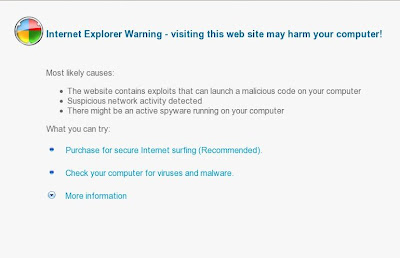
If your browser constantly is redirected to avprocess.com website, which have a Internet Explorer cannot display the webpage.: header, it means that your computer is infected with malicious program called Antivirus Suite. This program – fake antivirus application, which also known as rogue antispyware. The website stats:

Internet Explorer cannot display the webpage.:
Internet Explorer Warning - visiting this web site may harm your computer!

Most likely causes:
* The website contains exploits that can launch a malicious code on your computer
* Suspicious network activity detected
* There might be an active spyware running on your computer

What you can try:
Purchase for secure Internet surfing (Recommended).
Check your computer for viruses and malware.
More information

Screen shoot of the malicios website below:


avprocess.com - browser hijacker

Obviously, you can not trust neither the avprocess.com website nor its affiliate Antivirus Suite. These two created with one purpose, using deception and threats to force you to open your wallet and pull out the money. Do not need! Remember the important rule, if your PC was infected with Antivirus Suite, you need to ignore all that it shows you and temporarily stop using the computer. Use the removal guide below, which will remove redirect to avprocess.com malicious site and any other infections you may have on your computer for free.

How to remove Antivirus Suite

Use the Antivirus Suite removal instructions.

Remove Avfortress.com browser hijacker

Avfortress.com is a malicious website, which Antivirus Suite shows you in order to trick you into thinking that the computer is infected with dangerous viruses and trojans. The site stats:

Internet Explorer cannot display the webpage.:
Internet Explorer Warning - visiting this web site may harm your computer!

Most likely causes:
* The website contains exploits that can launch a malicious code on your computer
* Suspicious network activity detected
* There might be an active spyware running on your computer

What you can try:
Purchase for secure Internet surfing (Recommended).
Check your computer for viruses and malware.
More information

Screen shoot of the malicios website below:


Avfortress.com - browser hijacker

This website is only a small part of the deceptive tactics used by Antivirus Suite in order to create the appearance of infecting your computer and thus force you to buy its full version. Antivirus Suite is a fake antispyware program, which looks like a real antispyware application, but in reality is unable to detect or remove any viruses and trojans nor will be protect your computer from legitimate future infections.

If you find that your computer is infected with this malware and your browser is redirected to Avfortress.com, then most important do not purchase it. Ignore all that the program gives you and uninstall it asap. Use the instructions below to remove it from your system for free.

How to remove  Avfortress.com browser hijacker

Use the step by step Antivirus Suite removal guidelines.

Sunday, April 11, 2010

Remove Av-product.com browser hijacker

Av-product.com is a malicious website that used to promote the rogue antispyware program called Antivirus Suite.


Screen shoot of contents of Av-product.com

If your browser is redirected to Av-product.com, then follow the Antivirus Suite removal instructions.
How to remove Digital Protection ( Removal guide )

Digital Protection is a new rogue antispyware from the same family of rogues as Your Protection, User Protection, Dr. Guard, Paladin Antivirus, Malware Defender, Anti-malware.

HijackThis shows Digital Protection infection:
O4 – HKCU\..\Run: [davclnt.exe] C:\DOCUME~1\comp\LOCALS~1\Temp\davclnt.exe
O4 – HKCU\..\Run: [Digital Protection] “C:\Program Files\Digital Protection\digprot.exe” -noscan


Saturday, April 10, 2010

XP Security 2010 removal

XP Security 2010 is a rogue antispyware program from the XP Internet Security 2010 family of rogues. Nothing new here, except for new name and new file name of core component (ave.exe). As before, XP Security 2010 distributed through trojans that usually come from malicious websites.


 Screen shoot of XP Security 2010, clone of XP Internet Security 2010

Once XP Security 2010 is installed and started, it will start an imitation of process of scanning and detect a lot of infections.

What is more, the rogue will display a lot of nag screens and fake security alerts. Like false scan results, all of these warnings and alerts are a fake and should be ignored.

If your computer is infected with this malware, then follow the XP Security 2010 removal instructions.

Wednesday, April 7, 2010

Remove antivirus-armature.com browser hijacker

antivirus-armature.com is a malicious website that used to promote the rogue antispyware program called Antivirus Suite.


Screen shoot of contents of antivirus-armature.com

If your browser is redirected to antivirus-armature.com, then follow the Antivirus Suite removal instructions.

Remove Av-armor.com browser hijacker

Av-armor.com is a malicious website that used to promote the rogue antispyware program called Antivirus Suite.


Screen shoot of contents of Av-armor.com

If your browser is redirected to Av-armor.com, then follow the Antivirus Suite removal instructions.